 Egor Deev
4ecb9257c8
Egor Deev
4ecb9257c8
- 10 волн, 5 видов врагов со своим поведением и босс в три фазы - меч, копьё и посох, 11 улучшений между волнами, опыт и уровни - меню, пауза, настройки, итоги партии и рекорд, русский и английский - мир 480×270 с масштабированием, интерфейс в 960×540, скорости от dt - асинхронный цикл: та же игра в браузере через pygbag - тесты без окна, автоигрок, CI, релизы exe/Linux, GitHub Pages - README на двух языках; исходная версия — релиз v1.0.0 |
||
|---|---|---|
| .github/workflows | ||
| docs | ||
| game | ||
| tests | ||
| tools | ||
| web | ||
| .gitignore | ||
| pyproject.toml | ||
| README.en.md | ||
| README.md | ||
| requirements-dev.txt | ||
| requirements.txt | ||
Pixel Gamble
Русский · English


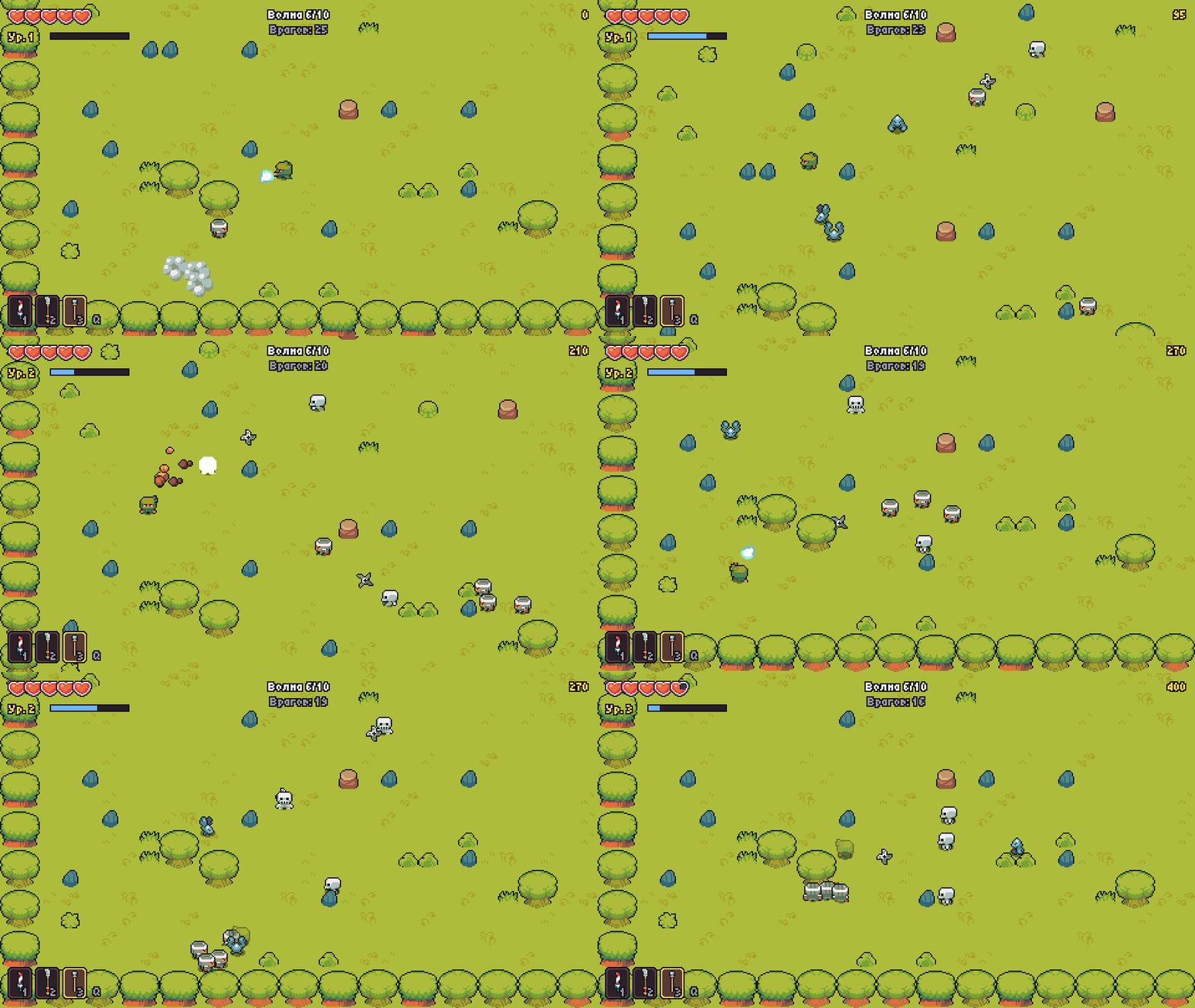
A pixel-art survival action game in Python and pygame: ten waves of enemies, upgrades between waves and a final fight with the Red Samurai. A run takes about 10 minutes, and the best score is saved.
▶ Play in the browser · Download for Windows and Linux
Status: started as a Yandex Lyceum school project (2022), turned into a complete game in 2026; the version shown at the defence is release v1.0.0
Stack: Python 3.10+ · pygame · pygbag (browser build) · PyInstaller · pytest
How to play
| Action | Keys |
|---|---|
| Move | WASD or arrow keys |
| Attack | left mouse button, Space or J |
| Switch weapon | Q, mouse wheel, 1–3 |
| Pause | Esc or P |
| Fullscreen | F11 |
Mouse attacks aim at the cursor; keyboard attacks go where the hero is facing.
What's inside
- 10 waves. Enemies come from the edges of the arena, each wave is bigger and tougher, the 10th is the boss.
- 5 enemy types with their own behaviour:
- the slime crawls slowly towards you;
- the bat zigzags and flies over rocks;
- the ninja winds up and lunges;
- the skeleton keeps its distance and throws shuriken;
- the cyclops demon flashes a warning and charges.
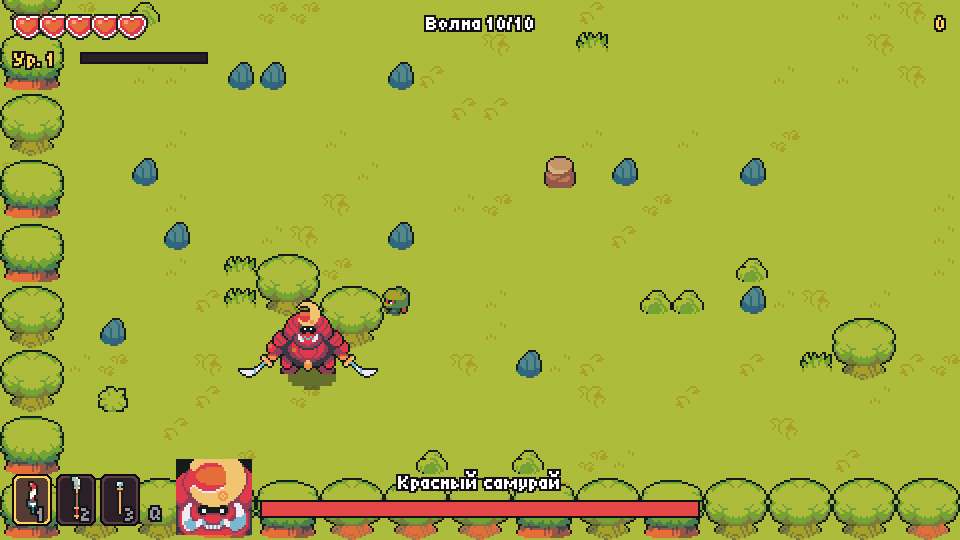
- Boss — the Red Samurai, with three phases: he slashes up close, adds a dash with a shuriken fan below 60% health, and below 30% speeds up, summons minions and fires a ring of shuriken.
- Three weapons: the sword sweeps wide, the lance reaches further and pierces, the staff shoots bolts.
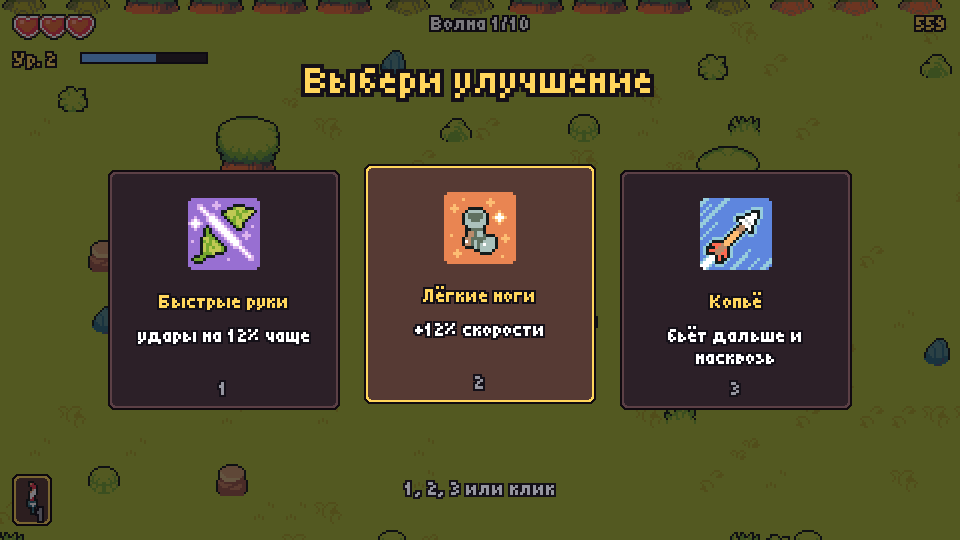
- 11 upgrades: pick one of three between waves — hearts, damage, speed, new weapons, triple shot, healing on kills and more.
- XP and levels. Hearts drop from enemies and broken rocks and heal you.
- Menu, pause, settings (volume, language, fullscreen), run summary and best score.
- Two languages: Russian and English.
| Choosing an upgrade | The boss |
|---|---|
 |
 |
Quick start
The easiest way is to play in the browser or download a
ready-made file from the releases page:
PixelGamble-windows.exe or PixelGamble-linux.tar.gz, no Python needed.
From source:
git clone https://github.com/EDeev/pixel_gamble.git
cd pixel_gamble
pip install -r requirements.txt
python game/main.py
The best score and settings are stored in %APPDATA%\pixel_gamble (Windows),
~/.local/share/pixel_gamble (Linux) or localStorage in the browser.
How it works
game/
├── main.py              # entry point (desktop and browser)
├── pixelgamble/
│   ├── app.py           # window, main loop, menu, settings, run summary
│   ├── game.py          # a run: waves, combat, camera, in-game HUD
│   ├── player.py        # the hero and weapons
│   ├── enemies.py       # five enemy types
│   ├── boss.py          # the Red Samurai, three phases
│   ├── waves.py         # wave plans and the spawn queue
│   ├── upgrades.py      # upgrades between waves
│   ├── world.py         # the tile arena
│   ├── bot.py           # auto-player for tests and GIF recording
│   └── …                # assets, effects, UI, texts, saves
└── assets/              # art, sounds, music and fonts
tools/import_assets.py   # copies the needed files from the Ninja Adventure pack
web/template.tmpl        # page template for pygbag
The world is drawn at 480×270 and scaled 2×, while the UI is drawn on top at 960×540, so the pixels stay crisp and the text stays readable. Speeds don't depend on FPS. The game loop is async, so the same code runs in the browser via pygbag.
Checks
pip install -r requirements-dev.txt
ruff check .
pytest
python game/main.py --bot --fast --frames 7200   # auto-player, two minutes of play without a window
The tests run without a window or sound. They check that:
- the auto-player clears the first waves;
- the boss goes through all three phases, and both victory and death lead to the summary screen;
- upgrades apply, and every wave spawns exactly its plan;
- the save survives a corrupted file;
- characters can't pass through walls.
CI runs all of this on Python 3.10 and 3.12.
Building
-
Release: a
v*tag buildsPixelGamble-windows.exeandPixelGamble-linux.tar.gzwith PyInstaller and attaches them to the release. -
Browser version: every push to
mainbuilds it with pygbag and publishes it to GitHub Pages. To do the same locally:pip install pygbag==0.9.3 python -m pygbag --build --width 960 --height 540 --template web/template.tmpl game
Assets
- Art, sounds, music and the title font — Ninja Adventure
(pixel-boy, CC0 license), license text in
game/assets/LICENSE-ninja-adventure.txt. - UI font — Tiny5 (SIL Open Font License,
game/assets/fonts/OFL.txt). - The page template is based on the standard pygbag template.
License
School project (Yandex Lyceum, 2021–2022 academic year), reworked in 2026. The code is open for study; there is no separate license.
Author
Egor Deev — GitHub · Telegram · egor@deev.space
Made with ❤️ — deev.space